
Free PowerPoint Templates: Trusted Sources and License Terms
Free templates save hours, but every site attaches its own conditions. This guide compares sources with clear terms, then shows how to choose a template and adapt it to your content.

Free PowerPoint templates: the short answer
The most reliable free PowerPoint templates come from three places: Microsoft's own gallery, template sites such as SlidesCarnival and Slidesgo, and the template gallery inside Google Slides. All of them cost nothing, but the conditions differ. SlidesCarnival asks you to keep its credit, while Slidesgo requires free users to keep the credits slide and limits downloads.
Before you download anything, define what you need: how many slides, for what kind of event, and whether you have data or tables to show. The best template is not the flashiest one. It is the one you have to take apart the least.
This guide compares the sources, explains the license terms, and walks through choosing, applying, and adapting a template. If you are unsure about the visual basics, start with the presentation design guide, because even a good template falls apart under disorganized content.
Free PowerPoint template sources compared
The table below summarizes the terms stated on each official page as of November 4, 2026. Terms can change, so check again before using a template commercially.
Scroll the table sideways to see every column.
| Source | Formats | Account needed? | Main condition |
|---|---|---|---|
| Microsoft | PowerPoint | Depends on how you access it | Templates are provided by Microsoft for use in PowerPoint |
| SlidesCarnival | PowerPoint, Google Slides, Canva | No | CC BY 4.0 license, credit and link must stay |
| Slidesgo | PowerPoint, Google Slides | Yes, to download | Free users keep the credits slide, 3 templates per month |
| Google Slides | Google Slides | Google account | Used directly from the template gallery |
If you need something fast without signing up, SlidesCarnival is the simplest route. If you want a huge range of themes and do not mind creating an account, Slidesgo is worth a look. If a deck has to be tidy and neutral for work, Microsoft's built-in templates are often enough.
The next sections look at each source more closely, including the details people tend to miss. The rule is simple: read the license page on the original site, not a summary on someone else's blog.
Free templates from Microsoft
Microsoft offers a PowerPoint template gallery for work, school, and personal projects, and its support pages mention thousands of free templates to download. The main advantage is that these are built for PowerPoint, so the Slide Master and layouts are usually well organized.
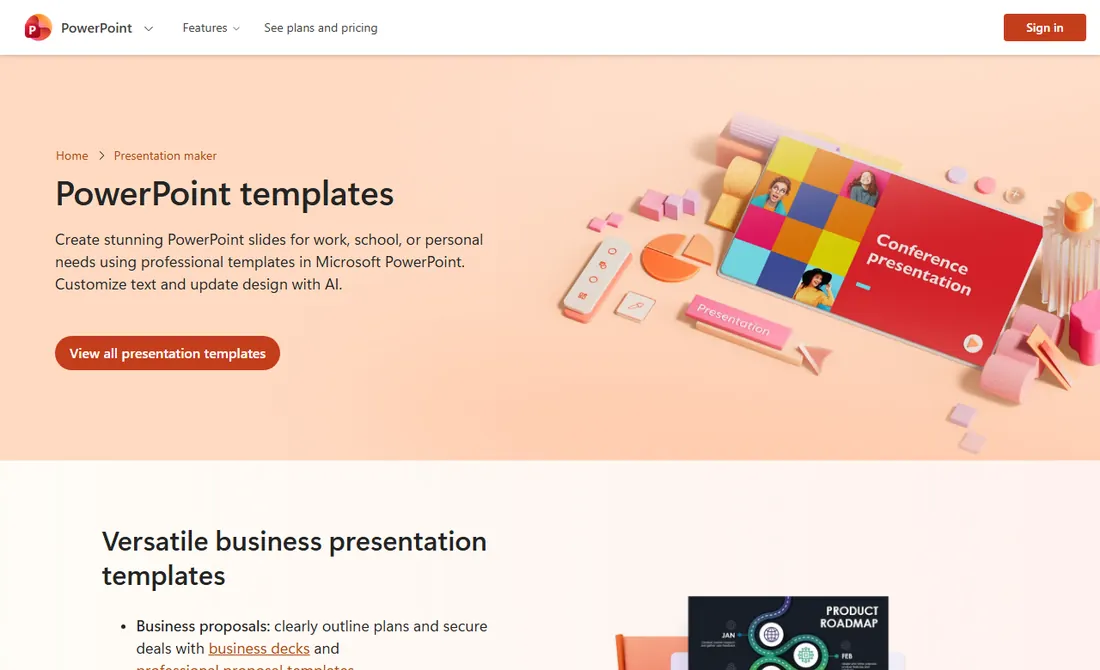
The quickest route is to open PowerPoint, choose File, then New, and search the template box. The template opens as a new presentation, so the original stays intact.
Built-in templates suit team meetings, routine reports, and internal material. The downside is that plenty of other people use the same designs, so change the theme colors and fonts to match your identity. Doing that in the Slide Master is much easier than editing slides one at a time.
SlidesCarnival: no sign-up, but credit is required
SlidesCarnival offers templates for PowerPoint and Google Slides, and its homepage promises free use with no registration or download limits.
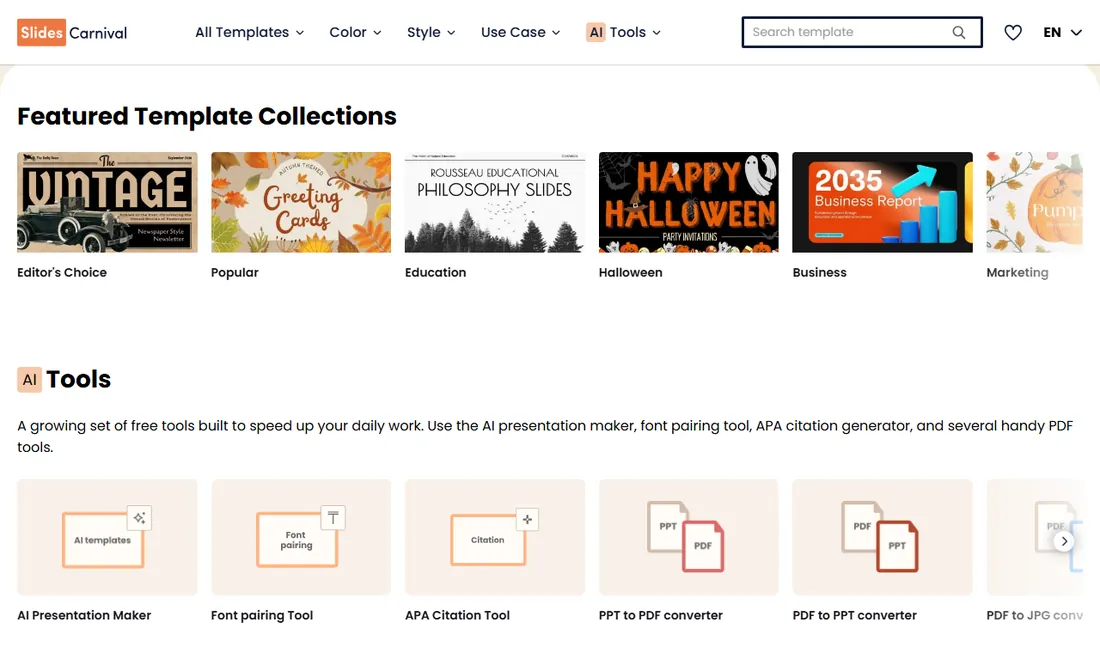
The license is the part to read. The SlidesCarnival FAQ says all its templates can be used for personal or commercial projects under the Creative Commons Attribution 4.0 License, as long as the credit stays intact. You may adapt them, but you have to give appropriate credit and include a link to the site.
In practice, leave the credits slide at the end, or add a small credit to your last slide. Do not resell the templates. For client presentations, a small credit on the final slide rarely gets in the way, and a well-made closing slide can carry it without spoiling the ending.
Many SlidesCarnival designs have strong illustrations, so check that the theme still works once your content is in. A playful Halloween theme is clearly not going to suit a finance report.
Slidesgo: huge range, with a download limit
Slidesgo has a very large collection of themes for PowerPoint and Google Slides, but the free plan is more limited. According to the Slidesgo FAQ, unregistered visitors cannot download at all, and registering raises the limit to 3 free templates per month. Free users must also attribute Slidesgo by keeping the slide where the credits appear.
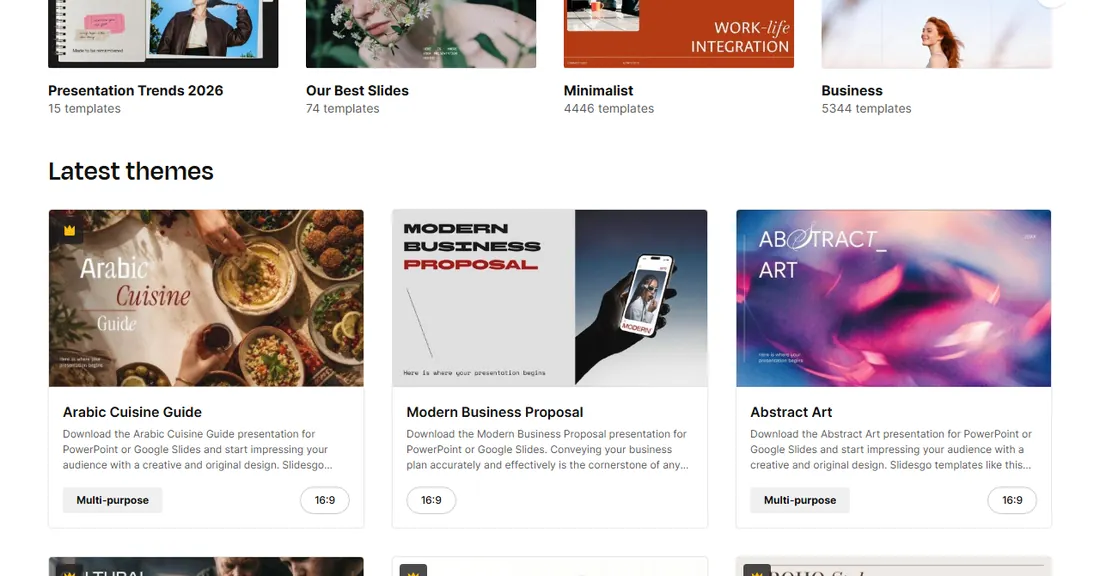
With only 3 downloads a month, do not grab templates just to try them. Open the preview, look through every slide, and download only the one that truly fits. The FAQ also says most elements are editable, though some resources belong to the design itself and may not be changeable.
Check one more thing: some cards carry a premium marker, and those templates are not part of the free allowance. That marker is easy to miss when you are scrolling quickly through the gallery.
How to choose the right template
Before falling for a cover slide, test a template against these five questions.
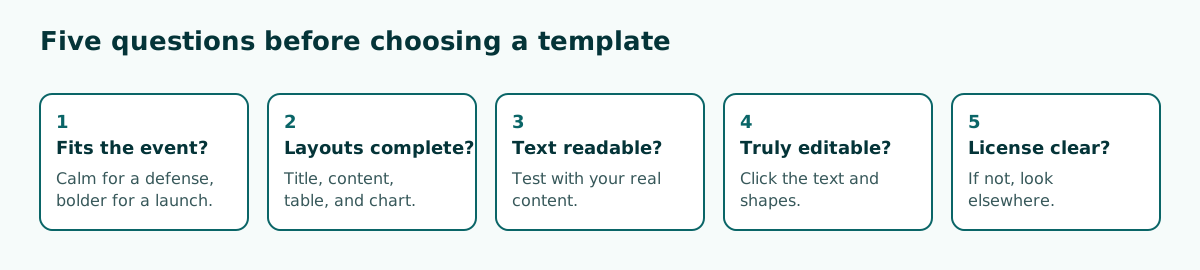
- Does it fit the event? A thesis defense needs a calm look, while a product launch can be bolder.
- Are the layouts complete? Look for title, content, two-column, table, and chart slides.
- Is the text readable? Test it with your real content. Check the contrast and font size.
- Is it really editable? Click the text and shapes. Slides made of flat images are hard to change.
- Is the license clear? If the site does not explain it, look elsewhere.
Check the aspect ratio as well. Most modern templates are 16:9, but some rooms still use 4:3 screens. The PowerPoint slide size guide explains how to change it before you add content.
Which template suits which event
The right search term saves a lot of time. Instead of typing nice template, search by event and style, such as minimal report or business proposal. Use this table as a starting point.
Scroll the table sideways to see every column.
| Event | Good style | Must-have layouts | Avoid |
|---|---|---|---|
| Thesis defense | Calm, plain background | Tables, charts, formulas | Cartoon art and heavy animation |
| Team meeting | Neutral, brand colors | Agenda, key numbers, decisions | Full photos behind text |
| Business pitch | Bold, real product photos | Problem, solution, numbers, team | Slides packed with long sentences |
| Teaching | Friendly, soft colors | Goals, steps, exercises | Tiny text and busy patterns |
For a group presentation, pick one template at the start and share it with everyone. When each person builds a section in a different look, merging them takes longer than writing the content.
How to use a template in PowerPoint
After downloading a file, open it and save it under a new name before changing anything. If you already have a deck to move into the template, follow this order.
- Open the template and save it with a new name.
- Delete the sample slides you do not need.
- Add slides from Home, then New Slide, and pick the right layout.
- Paste text from your old file using the option that follows the destination theme.
- Check every slide, especially text that spills out of its box.
If you reuse a look often, save it as your own template. According to Microsoft's guide, choose File, Save As, and then PowerPoint Template in the file type list. The result is a .potx file you can share with colleagues.
In Google Slides, templates and themes are available inside the app. Google's help page also explains how to import a theme from a PowerPoint presentation through Slide, Change theme, and Import theme. If a file changes format, recheck it using the Google Slides conversion guide.
How to stop a template looking generic
Free templates are used by lots of people, so small changes go a long way toward making one feel like yours. Four changes have the biggest effect.
Scroll the table sideways to see every column.
| Change | How | Effect |
|---|---|---|
| Colors | Change the theme colors in the Slide Master | Every slide matches your identity at once |
| Fonts | Change the theme fonts, not each text box | Consistent look that is easy to change again |
| Sample images | Replace with your own photos or charts | Content feels real instead of placeholder |
| Number of layouts | Stick to 4 or 5 layouts | The deck feels calmer |
Remove decoration that carries no meaning, too. Many templates come loaded with animations, icons, and ornamental shapes. Keep what helps the message and drop the rest. If you need more symbols, follow the style advice in the PowerPoint icons guide.
Swap the background if it is too busy for your content. Sample slides usually hold very little text, which is why they look so airy. Filled with real data, the same slide can feel cramped, so judge the result only after your content is in place.
A template is not a substitute for an outline
A template handles appearance, not content. The most common mistake is filling sample slides in the template's order, even though that order was designed for a different topic. Some slides end up padded while important points have nowhere to go.
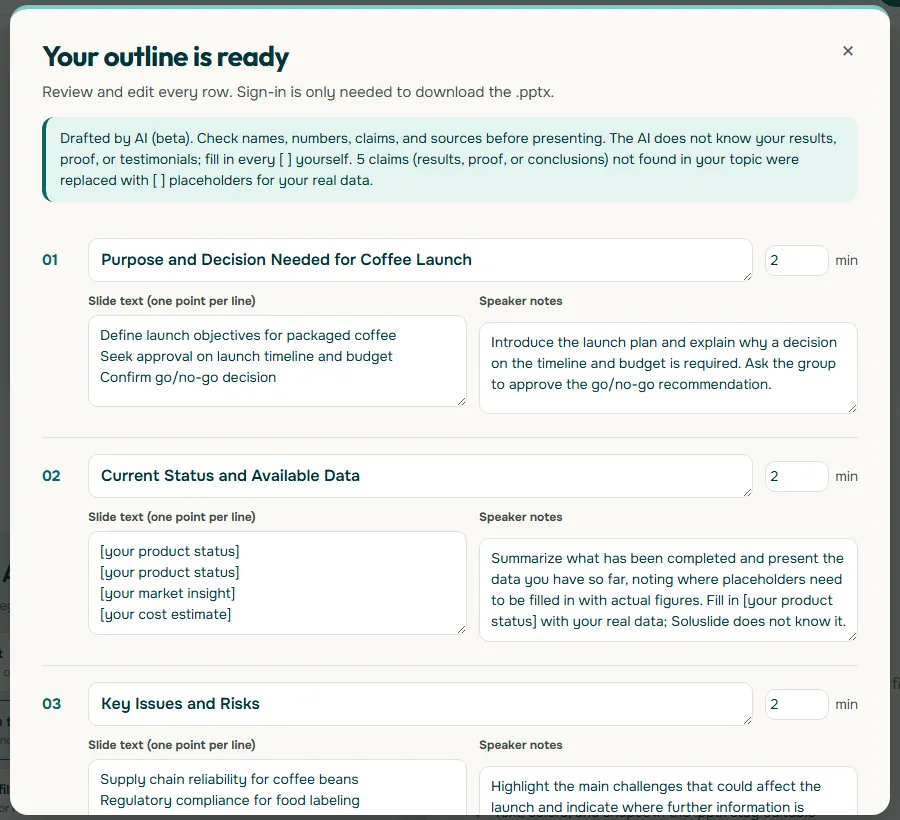
A safer order is to plan your presentation structure first and find a template second. Soluslide can help with that step. Enter a topic, an event type, and a duration, and you get an outline with titles, notes, and minutes per slide that you can edit before signing in. It can then be exported as a .pptx file that stays editable in PowerPoint.
From that outline, count the layouts you need. For example, 1 title slide, 6 content slides, 2 data slides, and 1 closing slide. Now you have a clear shopping list when judging templates. If you do not know the slide count yet, the guide on how many slides per minute is a good starting point.
Common mistakes and a final checklist
Check the following before you send or present the deck.
- Credit removed. SlidesCarnival and Slidesgo's free plan both require it.
- Sample text left behind. Search all slides and speaker notes for lorem ipsum or the theme name.
- Fonts change on another computer. Use common fonts, or bring the font files if the license allows it.
- File too large. Delete sample slides, then reduce the file size.
- Sample photos still in use. Template photos can have their own terms, so replace them with images you can trace.
- File will not open. Test it on the presenting device, and keep the fixes for when PowerPoint will not open a file handy.
Remember that files from unknown sites can be risky. Download only from sites you have checked, and be wary of any file that asks you to enable macros. Once everything is in order, practice your delivery, because people remember your message, not the name of the template.
Frequently asked questions
Where can I get free PowerPoint templates?
Sources with clear terms include Microsoft's template gallery, SlidesCarnival, Slidesgo, and the Google Slides template gallery. Read the terms on the original site before use.
Can I use free PowerPoint templates for business?
It depends on the license. The SlidesCarnival FAQ allows personal and commercial projects under CC BY 4.0 as long as the credit stays. For other sites, read their own terms.
Can I remove the credit from a free template?
SlidesCarnival asks you to keep its credit, and Slidesgo requires free users to keep the credits slide. Do not remove it if you are using the free version from either site.
How many free templates can I download from Slidesgo?
According to the Slidesgo FAQ, unregistered visitors cannot download, and the limit is 3 free templates per month after registering. Check the page again because terms can change.
How do I use a PowerPoint template I downloaded?
Open the file, save it under a new name, delete the sample slides you do not need, and add slides from New Slide using the right layouts.
How do I save my own template in PowerPoint?
Choose File, Save As, and then PowerPoint Template in the file type list. The result is a .potx file that you can reuse or share.
What template works best for a thesis defense?
Choose a calm design with a plain background, readable text, and layouts for tables and charts. Avoid themes with heavy decoration.
Can PowerPoint templates be used in Google Slides?
Many templates are offered for both, and Google's help page explains how to import a theme from a PowerPoint presentation. Recheck layouts and fonts after moving.
Sources
Factual claims in this article refer to the sources below. Sample outlines and prompts are illustrations to adapt.
Related reading
Try shaping your own outline. You can review and edit it before signing in.
Build a free outline