
AI Pitch Deck Generator: A Practical Guide for Small Businesses
An AI pitch deck generator can turn your notes into a slide outline in minutes, but it cannot invent your proof. Here is what to feed it, what to expect back, and how to check the draft before anyone sees it.
What an AI pitch deck generator actually does
An AI pitch deck generator takes a short description of your business, or a document you already have, and returns a draft deck: an ordered set of slide titles, short bullet points, and sometimes speaker notes and a suggested time per slide. The good ones save you the hardest part of a blank file, which is deciding what goes in what order.
What it cannot do is supply facts it was never given. If you do not tell it how many customers you have, what they pay, or what you are asking for, it will either leave a gap or fill the gap with something that sounds plausible. Microsoft says this plainly about its own tool: the output of the Create a presentation feature in PowerPoint is AI-generated content and should be reviewed and edited by a person. That advice applies to every generator, not only Copilot.
So the useful way to think about it is a split of labor:
- The generator handles structure, ordering, first-draft wording, slide titles, and a rough timing plan.
- You handle the numbers, the customer stories, the photos, the price, and the specific ask, plus the final check that every claim on a slide is true.
If you keep that split in mind, a generator is a genuine time saver for founders and small business owners who pitch to buyers, partners, lenders, or investors. If you skip your half, you get a polished deck that falls apart at the first question.
The five parts every pitch deck must contain
Pitch decks vary by audience, but almost every effective one answers five questions in roughly this order. Before you ask a generator for anything, make sure you can answer each of them in one or two sentences.
Scroll the table sideways to see every column.
| Part | Question the audience is asking | Evidence that works |
|---|---|---|
| Problem | What is broken, and for whom? | A specific situation a real customer faces, the cost of the workaround they use today |
| Customer | Who exactly buys this? | A named segment (for example, independent cafes with one to three outlets), not "everyone" |
| Proof | Why should I believe it works? | Your own sales records, repeat orders, pilot results, permitted testimonials, product photos |
| Offer | What do I get, and what does it cost? | Product or service description, price or price range, delivery terms |
| Ask | What do you want from me today? | A concrete request: an order quantity, a pilot, a meeting, a loan amount, an investment amount |
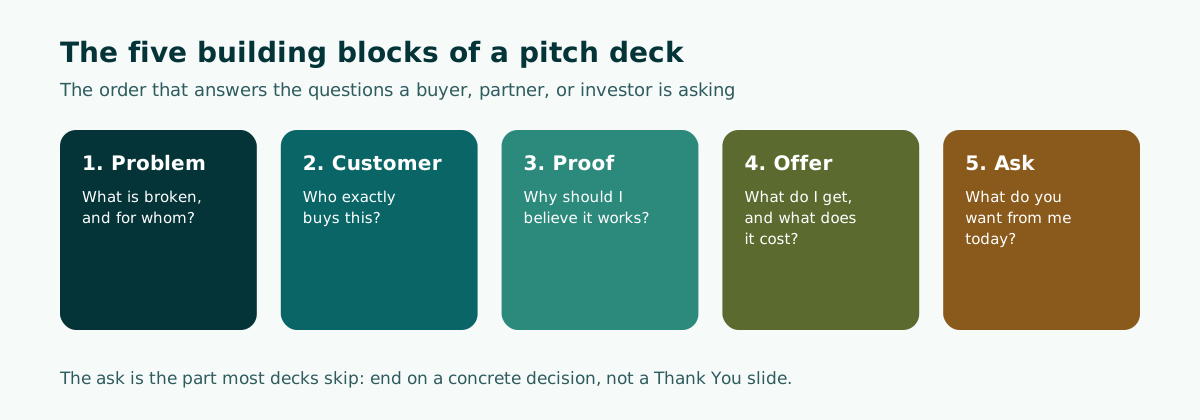
This lines up with the business plan guidance from the U.S. Small Business Administration (SBA). Its traditional plan template asks you to go into detail about the problems your business solves and to be specific about the consumers or businesses you plan to serve. Its lean plan format includes a customer segment section and warns that your business will not be for everybody, so you need a clear sense of whom you serve.
The ask is the part most decks skip
A deck without an ask ends with "Thank you" and leaves the audience to guess what to do next. The SBA's guidance on a funding request is a good model even if you are not raising money: say how much you need, what you will use it for, and, for financing, whether you want debt or equity and on what terms. For a buyer pitch, the equivalent is the first order you want, the trial period, and who signs off.
Small-business pitch vs investor pitch
Most generators default to a startup investor template: problem, solution, market size, business model, traction, team, competition, financials, raise. That template is fine if you are actually raising equity. Many small businesses are not. They are pitching a wholesale buyer, a retail chain, a distributor, a corporate client, or a bank.
The five parts stay the same, but the weight shifts:
- Buyer or partner pitch. The audience cares about reliability more than upside. Lead with the problem in their terms (stockouts, inconsistent suppliers, slow delivery), then show proof of consistent quality and capacity, then make the offer with clear pricing and minimum order quantities. The ask is a trial order or a listing.
- Lender pitch. The audience cares about repayment. Your proof is cash flow history and existing commitments. The SBA notes that established businesses should include income statements, balance sheets, and cash flow statements, and that projections should be explained and matched to the funding request.
- Investor pitch. The audience cares about growth and the size of the opportunity. Market, team, and the use of funds get more slides, and the ask is an amount on stated terms.
When you brief a generator, say which of these you are doing. If you do not, you will often get a market size slide that a supermarket buyer does not care about and no slide at all about delivery capacity, which is the first thing they will ask.
What to gather before you open the generator
The quality of the draft depends almost entirely on the quality of the input. Ten minutes of preparation saves an hour of rewriting. Collect these in one note or document:
- One sentence on what you sell and to whom. For example: "We make frozen dumplings for cafes that want a ready-to-cook menu item without hiring another cook."
- Your real numbers. Monthly units or revenue over the last few months, number of repeat customers, average order size. Use what your own records show, rounded honestly. If you are pre-revenue, say so and list what you have instead (pilot users, waitlist, letters of intent).
- Two or three customer stories. What the customer did before, what changed after. If you plan to quote a customer by name or show their photo, get their permission first (more on this below).
- Product photos you took yourself, or that you have the rights to use. Real photos of your actual product beat generated images for a buyer who wants to know what will arrive.
- Your price and terms, even if they are a range.
- The exact ask and the decision you want at the end of the meeting.
- The time limit. A 5-minute slot and a 20-minute meeting need very different decks.
If you already have a business plan, a product sheet, or a proposal document, many tools can build the outline from that file directly. The approach is covered in our guide to turning a document into a presentation. One tip from Microsoft's own guidance applies broadly: a source document organized with proper headings is easier for an AI tool to split into slides.
How to brief an AI pitch deck generator
A one-line prompt such as "make a pitch deck for my bakery" produces a generic deck. A structured brief produces something you can actually present. Microsoft's Copilot in PowerPoint, for instance, may ask clarifying questions such as who the target audience is before it drafts an outline, which tells you what the tool needs to do a good job. Give it that information up front.
Here is a brief you can adapt. Replace everything in square brackets with your own facts, and delete any line you cannot fill truthfully rather than leaving the AI to guess.
Create a pitch deck outline.

Audience: purchasing manager at a regional cafe chain (12 outlets).
Purpose: get a 4-week trial order for 3 outlets.
Time limit: 10 minutes presenting, then questions.
Language: English.

Business: [one sentence on what you sell and to whom]
Problem for this audience: [their specific pain, in their words]
Proof (use only these facts, do not add numbers):
- [monthly units sold, last 3 months, from our records]
- [number of repeat business customers]
- [one customer quote, permission obtained]
Offer: [product, pack size, price per unit, delivery schedule]
Ask: [trial quantity, duration, who decides]

For each slide give: a title that states the point as a full sentence,
2-4 short bullets, one line of speaker notes, and minutes.
Mark any slide where you would need a fact I did not give you
with [NEEDS DATA] instead of inventing it.
Three details in this brief do most of the work:
- "Use only these facts" and the
[NEEDS DATA]instruction reduce the chance of invented figures and make the gaps visible. - Titles as full sentences push the generator to state the point of each slide instead of labeling it. "Proof" becomes "Three cafes reordered every month since March."
- Minutes per slide force a realistic length. If the total exceeds your slot, you know before rehearsal, not during the meeting.
For more prompt patterns, including how to set tone and slide count, see our guide to writing prompts for AI presentations.
Worked example: a 10-minute buyer pitch outline
Below is what a usable outline looks like for the cafe chain scenario above, with fictional placeholder details. Notice that every title makes a claim, the proof comes before the offer, and the ask has its own slide.
- Ready-to-cook dumplings that need no extra kitchen staff (0.5 min). Who we are in one line, who is in the room.
- Your outlets lose sales when the snack menu runs out by mid-afternoon (1 min). The problem as the buyer experiences it.
- Small cafes already solved this with frozen stock and a 6-minute steam (1 min). How the product fits into their current routine.
- What arrives: three flavors, packs of 50, delivered twice a week (1.5 min). Product photos taken in your own kitchen.
- Three independent cafes have reordered every month since we started supplying them (1.5 min). Your own order records, one permitted quote.
- We can supply 12 outlets from our current kitchen (1 min). Capacity, food safety documentation you hold, delivery area.
- Price per pack and what it means per serving (1 min). Simple arithmetic the buyer can check.
- Proposal: a 4-week trial in 3 outlets (1 min). Quantity, start date, how you will measure it together.
- Decision today: confirm the trial outlets and the first delivery date (0.5 min). The ask, stated as a decision.
That is 9 slides and 9 minutes, leaving a buffer inside the 10-minute slot. Compare it with a typical generic draft, which would open with "Company Overview," spend a slide on "Market Opportunity" with an industry-size figure from nowhere, and close with "Thank You."
Rewriting weak slide titles
Generators often return topic labels. Rewriting them as claims is the fastest quality upgrade you can make:
- "Traction" becomes "Repeat orders from all three pilot cafes since March."
- "Our Solution" becomes "Frozen stock that any barista can steam in six minutes."
- "Pricing" becomes "One pack serves 50 portions at a fixed weekly price."
- "Next Steps" becomes "Start a 4-week trial in three outlets on the 1st."
Each new title must be true for your business before you use it. If you cannot back a claim, soften it to what you can show.
The first and last slides shape the impression most. Opening and closing lines are covered in how to start a presentation and how to end a presentation, and the order of the middle is explained in presentation structure.
How to check the output before you present
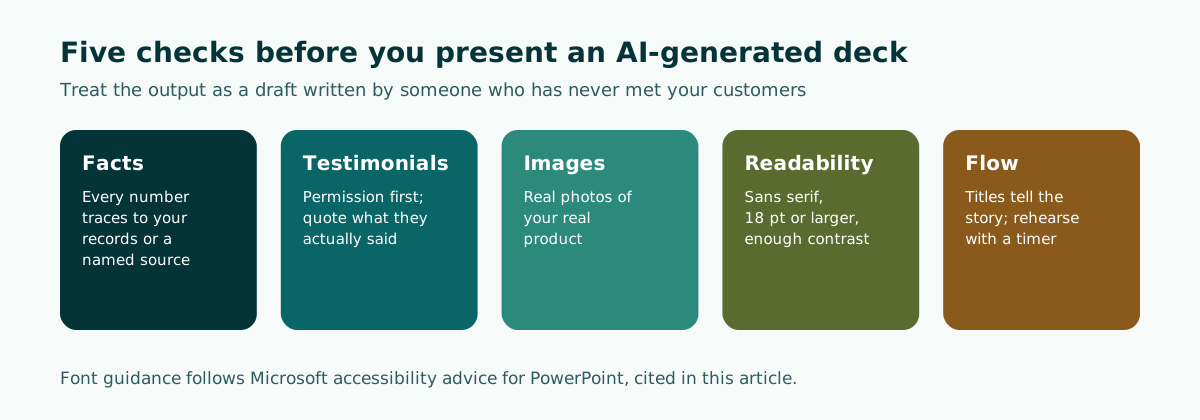
Treat the generated deck as a draft written by someone who has never met your customers. Go through it with this checklist, slide by slide.
1. Facts and numbers
- Every number on a slide traces back to your own records or a source you can name. If a figure appeared that you did not provide, delete it or replace it with yours.
- Market size claims are the most common invention. If you keep one, cite where it came from on the slide.
- Projections are labeled as projections and explained, not presented as results.
2. Testimonials and customer names
- Get permission before you put a customer's name, logo, photo, or quote on a slide.
- Quote what they actually said. The U.S. Federal Trade Commission's guidance on endorsements states that endorsements must reflect the honest opinions or experiences of the endorser, and that you cannot make an incentive such as a discount conditional on a positive review.
- Do not present your best customer's result as typical. The FTC's guidance notes that showing exceptional results implies others can expect them too, and that "results not typical" style disclaimers do not change that interpretation.
3. Images
- Use real photos of your real product. If the generator added AI images, check that none of them could be mistaken for your actual product, packaging, or premises. In PowerPoint, Microsoft notes that slides with AI-generated images created by Copilot are marked with an "AI-generated" image source in the speaker notes, which helps you find them.
4. Readability
- Microsoft's accessibility guidance for PowerPoint recommends sans serif fonts at 18 points or larger, sufficient white space, and a unique, descriptive title on every slide. A buyer reading your deck later on a phone benefits from the same rules.
- Check contrast between text and background, especially on photo slides. Our article on readable presentation contrast walks through it.
5. Flow and timing
- Read only the slide titles in order. They should tell the whole story on their own: problem, customer, proof, offer, ask.
- Rehearse once with a timer. If you run over, cut slides rather than talking faster.
Editing, file format, and the last mile
Most of the value you add happens after generation, so the format you get back matters. A deck locked inside a web viewer is hard to adjust when a buyer asks for a version with their logo or a different price tier. An editable PowerPoint file with real text boxes lets you change a number in seconds, reuse slides for the next prospect, and send the file in the format corporate buyers usually expect. We compared the trade-offs in our guide to editable PPTX from AI tools.
A few habits make the final deck stronger:
- Keep one master and many copies. Save a master deck with your strongest proof, then duplicate and adjust the problem and offer slides for each audience.
- Put detail in an appendix. Full price lists, certificates, and detailed financials go after the ask, ready for questions.
- Write speaker notes in your own words. Generated notes are a starting point; rewrite them the way you actually talk.
- Update proof monthly. Stale numbers undermine trust faster than modest ones.
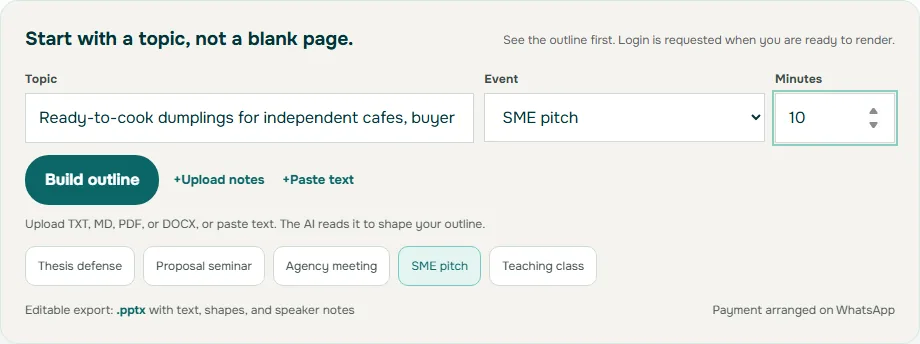
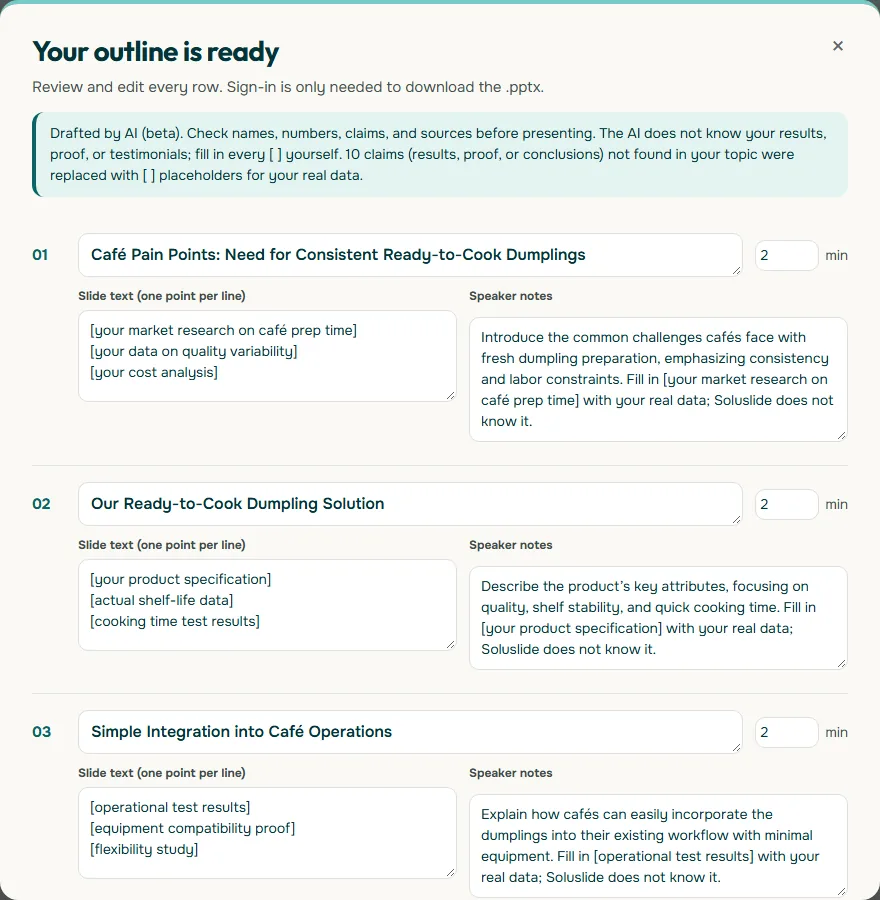
If you want a quick starting structure, Soluslide (currently in beta) lets you enter your topic, choose an SME pitch as the event type, set the duration, or upload a document, and returns a timed slide outline with titles, notes, and minutes per slide that you can edit before signing in. Exporting the editable .pptx requires a beta account. You can try it from the outline builder or read what is included on the features page. Whatever tool you use, the checklist above is what turns a generated draft into a pitch you can stand behind. For a broader comparison of tools, see our overview of the AI presentation maker category.
The two screenshots below use the dumpling supplier scenario from the worked example.
Frequently asked questions
Can an AI pitch deck generator write the whole pitch for me?
It can draft the structure, slide titles, and first-pass wording. It cannot supply your sales figures, customer stories, prices, or ask, and anything it adds that you did not provide should be checked or removed.
What slides does a small business pitch deck need?
At minimum, slides that cover the problem, the specific customer, proof that it works, the offer with price and terms, and a clear ask. Investor decks usually add market, team, and use of funds.
How long should a pitch deck be?
Plan it from your time slot rather than a fixed slide count. Assign minutes to each slide and keep the total below your slot so there is room for questions; a 10-minute buyer pitch often fits in about 9 slides.
Can I use customer testimonials in my deck?
Yes, with the customer's permission and in their actual words. Under FTC guidance in the United States, endorsements must reflect honest opinions or experiences, and an exceptional result should not be presented as typical.
Is a buyer pitch different from an investor pitch?
Yes. A buyer or partner cares about reliability, capacity, and price, while an investor cares about growth and the size of the opportunity. Tell the generator which audience you are pitching so it weights the slides correctly.
Should I export the deck as an editable file?
An editable PowerPoint file is usually the most practical choice, because you will need to change numbers, prices, and logos for each audience after the AI draft is done.
How do I check an AI-generated pitch deck before presenting?
Make sure every number traces to your own records or a named source, every testimonial is permitted and quoted accurately, photos show your real product, text is readable, and the slide titles alone tell the story. Then rehearse once with a timer.
Sources
Factual claims in this article refer to the sources below. Sample outlines and prompts are illustrations to adapt.
- U.S. Small Business Administration: Plan your business (Write your business plan)
- Microsoft Support: Create a new presentation with Copilot in PowerPoint
- Microsoft Support: Make your PowerPoint presentations accessible to people with disabilities
- Federal Trade Commission: FTC's Endorsement Guides: What People Are Asking
Related reading
Try shaping your own outline. You can review and edit it before signing in.
Build a free outline