
Business Plan Presentation: A 10-Slide Structure With an Example
A business plan presentation turns your plan into a short, persuasive story. This guide gives you a 10-slide structure, a way to show the numbers, and a ready outline.

What a business plan presentation is
A business plan presentation is a deck of roughly 10 to 15 slides that condenses your business plan for investors, a bank, a pitch competition jury, partners, or your own leadership team. It is not a copy of the written plan. It is the core story: the problem you solve, your solution, the market, how the business makes money, who runs it, what the financials look like, and what you are asking for.
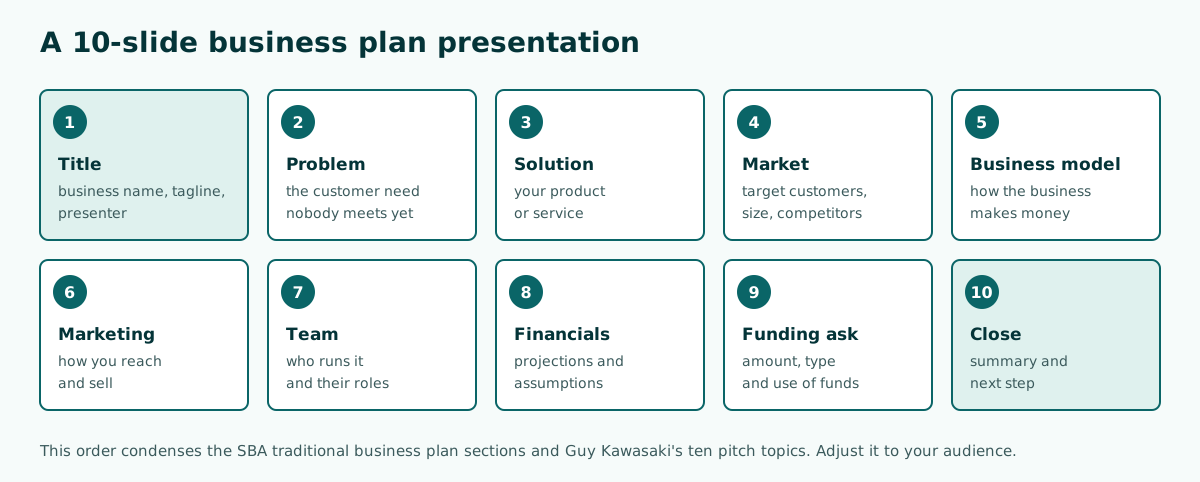
The safest structure is 10 slides: title, problem, solution, market, business model, marketing, team, financials, funding ask, and close. That order condenses the traditional business plan sections described by the U.S. Small Business Administration (SBA) and the ten pitch topics in Guy Kawasaki's 10/20/30 rule.
Below you will find how a written plan differs from a deck, the full slide structure with what goes on each slide, how to present the numbers, timing rules, design tips, a sample outline for a coffee shop, and the mistakes that most often sink a pitch.
Written business plan vs business plan presentation
A written plan is read at the reader's own pace, so it can be long and detailed. A presentation is heard in a fixed time slot, so it has to choose. If you paste the whole document onto slides, the audience starts reading and stops listening to you.
Scroll the table sideways to see every column.
| Aspect | Written business plan | Business plan presentation |
|---|---|---|
| Purpose | Complete reference to study | Persuade in a single meeting |
| Length | Can run dozens of pages | About 10 to 15 slides |
| Financials | Full tables by period | Key summary and charts |
| Writing style | Explanatory paragraphs | One message per slide, short points |
| How it is used | Sent before or after the meeting | Presented live, then Q&A |
Because they do different jobs, many founders prepare both: the document as a leave-behind and the deck as the storytelling tool. The same principle applies whenever you turn a document into a presentation: decide the key message first, then build the slides.
The 10-slide business plan presentation structure
The table maps each slide to a section of the SBA traditional business plan. That keeps the deck consistent with the written plan an investor may ask for later.
Scroll the table sideways to see every column.
| Slide | Main content | Business plan section (SBA) |
|---|---|---|
| 1. Title | Business name, positioning line, presenter | Executive summary |
| 2. Problem | The customer need nobody meets yet | Company description |
| 3. Solution | Product or service and its benefit | Service or product line |
| 4. Market | Target customers, market size, competitors | Market analysis |
| 5. Business model | Revenue sources and pricing | Marketing and sales |
| 6. Marketing | Promotion and sales channels | Marketing and sales |
| 7. Team | Who runs it, roles, legal structure | Organization and management |
| 8. Financials | Revenue, cost and profit projections | Financial projections |
| 9. Funding ask | Amount, type, use of funds | Funding request |
| 10. Close | Summary and next step | Executive summary |
Put the problem and solution before the numbers. The audience has to believe in the problem before they care about projections. Strong openings are covered in how to start a presentation, and general flow patterns in presentation structure.
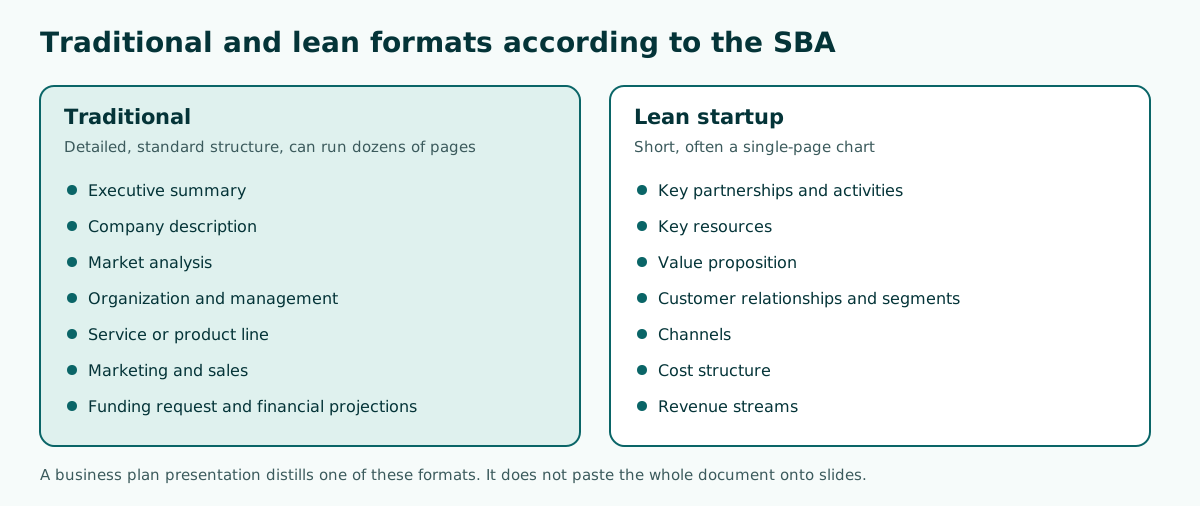
Traditional or lean plan: which one feeds your deck
The SBA describes two formats. A traditional plan follows a standard structure and goes into detail in every section, so it can run dozens of pages. A lean startup plan is a short chart with only a handful of elements, which suits a simple business, a plan you need to explain quickly, or one that changes often.
The format you pick decides where your slides come from:
- Bank or formal investors. Build from the traditional plan, because they will ask about legal structure, market detail and financial statements.
- Pitch competitions, accelerators or internal meetings. A lean plan is usually enough. Elements such as the value proposition, customer segments, channels, cost structure and revenue streams can become slides directly.
- An existing business. Keep the 10-slide order, but fill the financial slide with historical results, not only projections.
Either way, the deck stays short. If a slide feels crowded, split the topic across two slides or move detail into the speaker notes.
How to present financial projections on slides
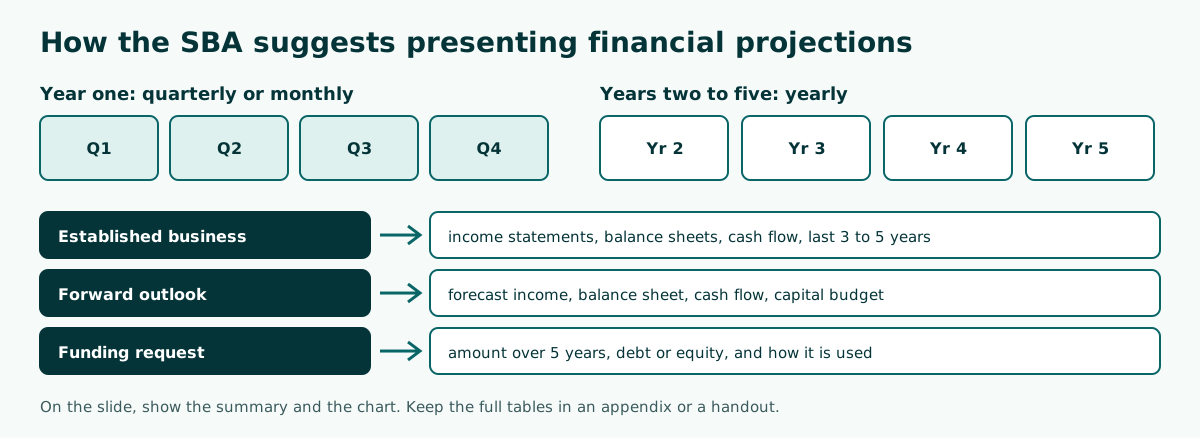
The financial slide is where many decks lose the room: too many small numbers in one table. The SBA recommends a five-year outlook covering forecast income statements, balance sheets, cash flow statements and capital expenditure budgets, with year one broken down quarterly or even monthly. For an established business it asks for statements from the last three to five years. The SBA also calls this section a great place to use graphs and charts.
How to move that onto slides:
- One slide for the revenue and profit trend, as a yearly bar or line chart.
- One slide for the key assumptions, such as price, customers per month and fixed costs.
- One slide for the funding ask: amount, debt or equity, and a breakdown of how it is used.
- Keep the full tables in an appendix or a handout.
For the mechanics, see how to make a graph in PowerPoint and how to make a table in PowerPoint. Microsoft also has a guide to using charts and graphs in your presentation. Never invent figures. If data does not exist yet, label it as an assumption and explain the basis.
Length and slide count: the 10/20/30 rule
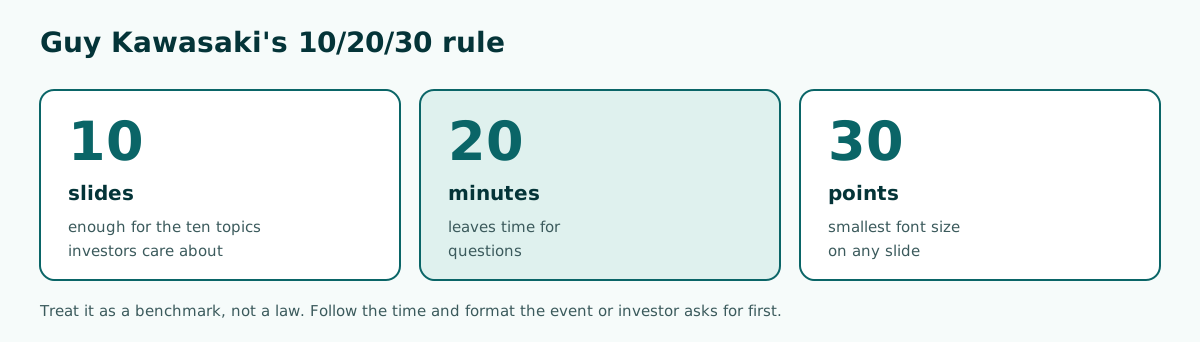
Venture capitalist Guy Kawasaki popularised the 10/20/30 rule for any presentation meant to reach agreement, such as raising capital or making a sale: ten slides, no more than twenty minutes, and no font smaller than thirty points. His ten topics investors care about are the problem, your solution, business model, underlying magic or technology, marketing and sales, competition, team, projections and milestones, status and timeline, and a summary with a call to action.
The rule lines up with the 10-slide structure above. Twenty minutes also leaves room for questions if your slot is an hour. If the organiser gives you only five or seven minutes, cut the depth of each slide rather than talking faster. Working out the pace is covered in how many slides per minute.
Thirty points sounds big, but it forces short points. If a slide does not fit at that size, the content needs trimming or belongs in your speaker notes instead.
Tailoring the presentation to your audience
The 10-slide structure stays the same, but the emphasis shifts with the people in the room. Before building slides, decide what decision you want from the meeting, then give more space to the slides that drive that decision.
Scroll the table sideways to see every column.
| Audience | What they care about most | Slides to deepen |
|---|---|---|
| Bank or lender | Ability to repay and collateral | Financials, cash flow, funding ask |
| Equity investors | Growth potential and team | Market, business model, team |
| Pitch competition jury | Novelty and impact | Problem, solution, validation plan |
| Partners or suppliers | What they gain | Business model, marketing, operations |
| Internal leadership | Cost, risk and results | Budget ask, timeline, success metrics |
For lenders, the SBA notes that an established business should include recent financial statements and list any collateral, so have that data ready before the meeting. Pitch juries usually give less time, so the problem and solution slides have to be razor sharp. In an internal meeting, the funding ask becomes a budget request or a decision you need signed off.
Keep a few backup slides after the close, such as a cost breakdown, customer survey data or competitor profiles. You do not present them, but they are ready when a question comes up, so the main deck stays short without looking thin on evidence.
Slide design investors can read
Good design keeps attention on the message, not the decoration. Microsoft's tips for an effective presentation include several points that apply directly to a business plan deck:
- Choose a simple font such as Arial or Calibri that reads from a distance, and avoid thin or decorative fonts.
- Keep text simple: bullets or short sentences, ideally one line each.
- Use high contrast between the background and the text.
- Use graphics to help tell the story, without overloading a slide.
- Keep chart and graph labels just detailed enough to understand.
For a small business, real photos of the product or the premises persuade more than stock illustrations. Match the colours to your brand and keep the same layout across all slides. Typeface choices are covered in best fonts for presentations, colour contrast in readable presentation contrast, and layout basics in presentation design. For a tidy starting point, see free PowerPoint templates.
Example: a coffee shop business plan presentation outline
Say you are pitching a small coffee shop next to a university to local investors in 10 minutes. The outline below works as a starting point, with square brackets marking where your real data goes:
1. Terrace Coffee: good coffee for students, next to [university]
2. Problem: [number] students, few affordable coffee options within [x] meters
3. Solution: espresso and non-coffee menu at [price range], study space until late
4. Market: students and nearby office workers, competitors [names] and our edge
5. Business model: walk-in sales + delivery, average ticket [$]
6. Marketing: campus clubs partnership, opening promo, social media
7. Team: [name] barista with [x] years experience, [name] finance lead
8. Financials: year-one sales by quarter, break-even in month [x]
9. Funding ask: $[amount] for equipment, fit-out, 3 months working capital
10. Close: summary, invitation to visit the site, contact
Notice that every figure is marked as data you must supply. Investors will ask where each number comes from, so keep the source in your speaker notes. The last slide should carry a clear ask, not just a thank-you. Ideas for strong endings are in how to end a presentation.
Drafting the outline faster with Soluslide
If you are not sure where to begin, you can generate an outline and then edit it. In Soluslide, choose the SME pitch event type, enter the topic and duration, and click to build the outline. You get slide titles, bullet points, speaker notes and minutes per slide, all editable before you sign in.
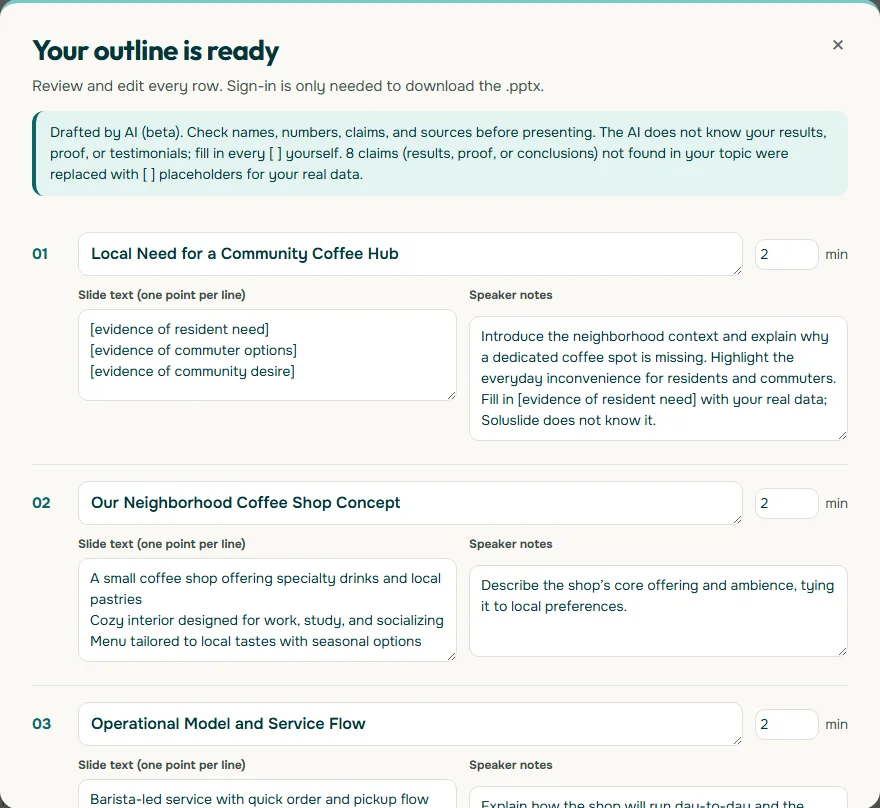
In our test with a 10-minute coffee shop business plan topic, Soluslide gave 2 minutes to each opening slide and swapped claims that were not in the topic for square-bracket placeholders, so you are not tempted to present made-up figures. Once the outline fits, sign in with a beta account to download an editable .pptx for PowerPoint. Plans are listed on the pricing page, and a deeper look at pitch decks is in AI pitch deck generator.
Common mistakes and a final checklist
A few mistakes keep making business plan presentations less convincing:
- Moving the whole document onto slides. Paragraph-heavy slides make people read instead of listen.
- Numbers without assumptions. Projections with no basis fall apart in Q&A.
- Skipping the competition. Claiming "no competitors" lowers trust.
- No clear ask. The audience must know what you want: funding, a partnership or an approval.
- Running over time. Rehearse with a timer and cut the weakest part.
Before you present, check that the ten slides run from problem to ask, every number has a written source or assumption, the smallest font reads from the back of the room, every chart has clear labels, and you have rehearsed against the real time limit. For delivery practice, read how to give a good presentation.
Frequently asked questions
What is a business plan presentation?
A deck of roughly 10 to 15 slides that condenses a business plan for investors, a bank, a pitch jury, partners or management.
How many slides should a business plan presentation have?
About 10. Guy Kawasaki recommends 10 slides, no more than 20 minutes and no font smaller than 30 points for presentations that seek agreement.
What should a business plan presentation include?
Title, problem, solution, market, business model, marketing, team, financials, the funding ask, and a close with a clear next step.
What is the difference between a traditional and a lean business plan?
According to the SBA, a traditional plan is detailed and can run dozens of pages, while a lean plan is a short chart with only a few elements.
How do I show financial projections in a presentation?
Show a chart of the revenue and profit trend, one slide of key assumptions and one slide for the funding ask. Put the full tables in an appendix.
How many years of projections do I need?
The SBA suggests a five-year outlook, with year one broken down quarterly or monthly.
Can I use estimated numbers?
Yes, as long as you label them as assumptions and explain the basis. Never present invented figures as facts.
Can Soluslide draft a business plan presentation outline?
Yes. Choose the SME pitch event type, enter the topic and duration, then edit the outline. Downloading the .pptx requires a beta account.
Sources
Factual claims in this article refer to the sources below. Sample outlines and prompts are illustrations to adapt.
Related reading
Try shaping your own outline. You can review and edit it before signing in.
Build a free outline